You’ve read the email carefully and it looks legitimate. The link it asks you to click on has none of the usual red flags: there are no strange numbers or extra parts in the URL. You feel safe to proceed. But if you had looked a little closer, you might have noticed something slightly off about one of the characters. Just like in the headline of this article, where instead of “a” we used the Cyrillic “α.”
Fraudsters can use letters from different alphabets to create URLs and email addresses that look almost identical to the real thing, but actually send anyone who clicks on them to a fake website or inbox. From there, they can steal personal details to use in their scams. There are other letters and symbols that are easily swapped. Last year, tech experts spotted fraudsters using the Japanese hiragana character ん to look like a / in an address designed to appear as though it was on Booking.com’s website.
Jake Moore, global security adviser at cybersecurity company ESET, says fraudsters “love Microsoft” as a company identity to spoof. “A fake site might use the Cyrillic ‘с’ instead of the Latin ‘c’ (miсrosoft vs microsoft),” he says.
View image in fullscreen
Most phishing attacks are designed to point people to links these days instead of downloading attachments. Photograph: Dominic Lipinski/PA
Moore says this type of fraud – known as a homoglyph attack – is becoming increasingly popular. A homoglyph is a character that looks very similar, or even identical, to another one. “Most phishing attacks are designed to point people to links these days instead of downloading attachments. Attachments can easily be scanned and caught by security software if malicious,” he says. “Therefore, criminals need to design their websites so the links look genuine and casually request people to click on them without thinking.”
Marijus Briedis, chief technology officer at NordVPN, says homoglyph attacks “are really more of a psychological trick than a technical one,” because the fraudsters are typically trying to panic you into responding quickly, rather than taking time to check things out. “The goal is to create a sense of panic so you don’t look too closely at the URL. They’re betting that when we’re in a rush, our brains see what we expect to see,” Briedis says. “It just goes to show that the split-second decision you make when clicking a link is often the most vulnerable part of the whole security chain.”
What it looks like
The real thing. Until you look closely.
You will receive an email or text message suggesting you need to click on a URL or email to sort something out.
View image in fullscreen
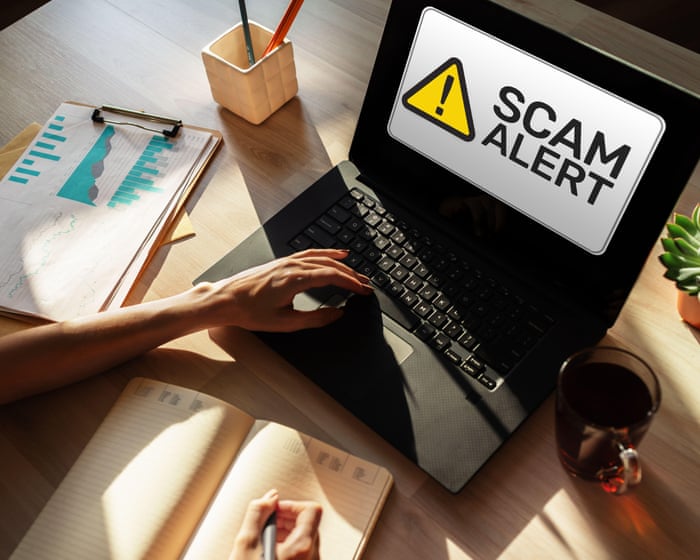
If you are sent a link, take a moment to think rather than reacting immediately. Photograph: Sergey Tolmachev/Alamy
Some fonts make substitutions almost impossible to detect. In an email address written in Comic Sans, for example, the Cyrillic a does not look at all out of place. “We’ve spent years telling people to check the website before trusting it, but the problem with this technique is that you can do exactly that and still be fooled, as it can look as it should,” says Moore. If it’s a URL, Moore says it will typically lead to a site that encourages you to enter your credentials for the real site, including your username, password, and even a one-time passcode.
What to do
If you are sent a link, take a moment to think rather than reacting immediately. “If any text, WhatsApp, or email is asking you to log in anywhere, it is vital that you independently visit the genuine website rather than trusting the link in front of you to save a few seconds,” says Moore. And apply the same thinking to email addresses. Type in the address you know to be correct, rather than clicking on a link. Keep your browser updated. It will flag up suspicious websites, and by keeping it updated it will catch the criminals’ latest workarounds. Put in place two-factor authentication, or multTwo-factor authentication (2FA or MFA) means you have two steps to log into a site. If you find that your details have been compromised, change your passwords immediately. Contact your bank and report the phishing attack to Report Fraud.
Frequently Asked Questions
FAQs How to Spot and Avoid a Homoglyph Attack
1 What is a homoglyph attack
Its when attackers swap letters or characters in a name with lookalikes to trick you For example replacing the o in googlecom with a zero or using a Cyrillic that looks just like a Latin a
2 Why is it called homoglyph
Homo means same and glyph means shape Homoglyphs are characters that look the same or nearly the same but are actually different
3 How is this different from typosquatting
Typosquatting relies on you mistyping a name Homoglyph attacks use characters that look correct so the fake name can appear perfect at a glance
4 What do attackers use homoglyphs for
Mostly phishing They create fake websites email addresses or app names that look like trusted brands so youll enter passwords payment details or download malware
5 Can you give me a simple example
pplecom with a Cyrillic looks identical to applecom in most fonts but its a completely different domain
6 Which characters are commonly abused
Cyrillic and Greek letters that resemble Latin ones the digit 0 for the letter O the digit 1 or letter I for lowercase l and rn for m
7 How can I spot a homoglyph attack
Dont trust what you seecheck the actual characters Hover over links to see the real URL inspect the address bar and be suspicious of unexpected messages urging you to log in or pay
8 Im on a phone Can I still check
Yes but its harder Longpress a link to preview the URL and avoid tapping links in texts or emails from unknown senders Go to the site directly through your browser or app instead
9 Whats the easiest way to avoid these attacks
Dont click links in unexpected messages Type the address yourself or use a bookmark you saved earlier
10 Do browsers warn me about this
Modern browsers like Chrome Firefox and